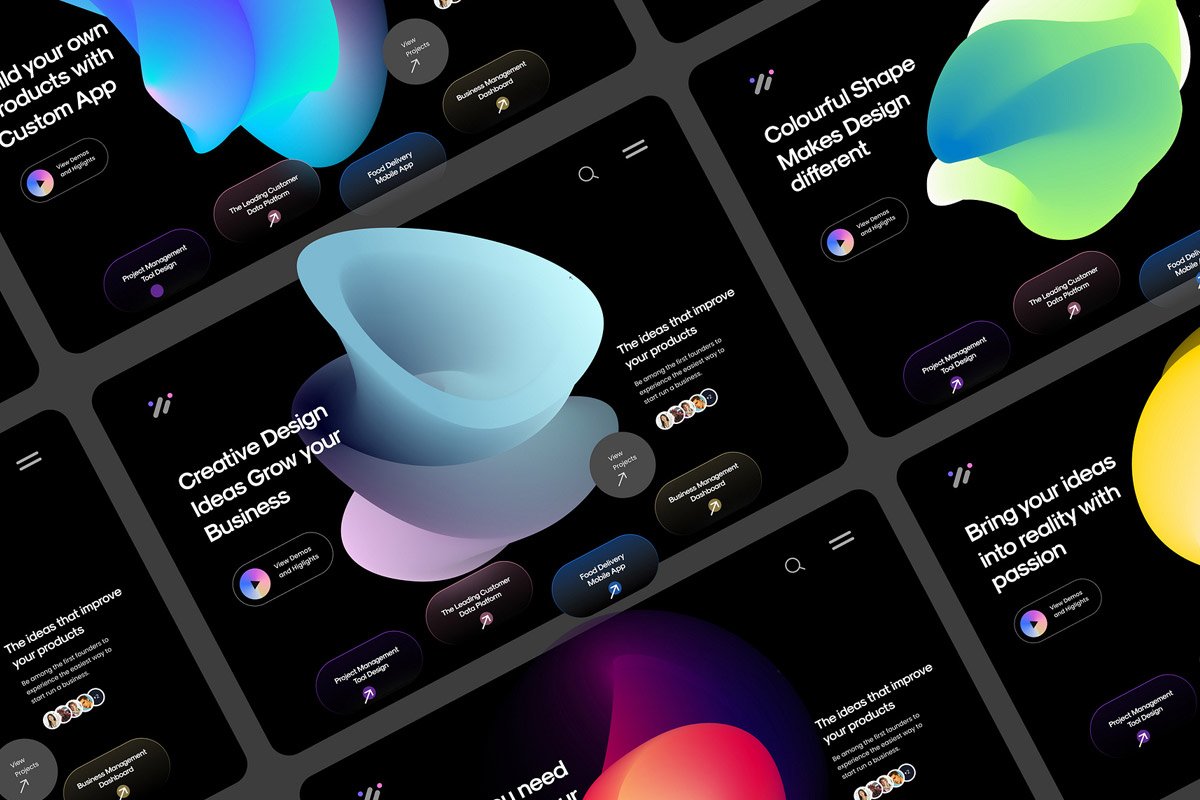
In recent years, dark mode has become a significant trend in web and app design, and it’s not just a passing fad. More and more websites are offering dark mode as an option for their users, and it’s gaining widespread popularity among consumers. From tech giants like Google and Apple to social media platforms like Twitter and Facebook, dark mode is everywhere, and users love it.
But what makes dark mode so popular, and why are more businesses adopting it as part of their web design strategy? In this blog, we’ll dive into the reasons behind the rise of dark mode, the benefits it brings to both users and website owners, and how you can implement it on your website to enhance user experience and drive engagement.
What is Dark Mode?
Dark mode, also known as night mode, is a design trend where the background of a website or app is dark (usually black or dark gray) while the text and key elements are light-colored (often white or light gray). This color scheme provides a stark contrast to the traditional light or white background, offering a visually different experience that many users find more appealing.
Dark mode can be toggled by the user or set as the default for certain websites or applications. Its rise in popularity has led to many tech companies and developers integrating it into their platforms, enabling users to switch between dark and light modes depending on their preferences.
The Benefits of Dark Mode: Why It’s So Popular
Dark mode is not just a design trend—it’s a feature that offers a range of advantages for both users and businesses. Let’s explore the main reasons why dark mode has become so popular and why you should consider incorporating it into your website design.
1. Reduced Eye Strain
One of the primary reasons people gravitate towards dark mode is that it helps reduce eye strain, especially in low-light environments.
- Less Blue Light Exposure: Blue light, emitted by bright screens, is known to cause eye strain and disrupt sleep patterns. Dark mode can significantly reduce exposure to blue light, especially when used in the evening or at night, making it a more comfortable option for extended use.
- Easier on the Eyes: Bright screens can be harsh on the eyes, particularly when used for long periods. Dark mode, with its darker backgrounds and lighter text, provides a softer visual experience, which can help prevent discomfort and fatigue, particularly for people who spend hours looking at screens.
2. Battery Saving for OLED and AMOLED Screens
Another compelling reason dark mode has gained so much traction is its ability to save battery life on devices with OLED (Organic Light Emitting Diodes) or AMOLED (Active Matrix Organic Light Emitting Diodes) screens. These types of screens light up individual pixels, which means that using dark colors on the screen results in less energy consumption.
- Efficient Power Usage: In dark mode, the pixels that display black are essentially turned off, reducing the energy required to illuminate the screen. This can extend battery life, particularly on smartphones and laptops, making dark mode not only easier on the eyes but also more energy-efficient.
- Longer Device Lifespan: In addition to conserving battery life, using dark mode can help reduce the wear on your screen, especially in high-usage situations, contributing to longer device longevity.
3. Enhanced Focus and Visual Appeal
Dark mode can enhance focus and clarity by reducing distractions, especially in content-heavy environments like websites and apps.
- Improved Content Readability: Dark mode can make text and images stand out more clearly, especially when the light text contrasts with the dark background. This makes it easier for users to focus on the content, which is especially important for websites that contain long-form text, blogs, or articles.
- Sleeker Aesthetic: Many users find dark mode visually appealing. It gives websites and apps a sleek, modern look that feels sophisticated and stylish. This can elevate the brand perception of a business, especially for tech-savvy or design-conscious audiences.
4. Better Sleep Patterns
Using dark mode, especially in the evening, can have a positive effect on your sleep.
- Reduced Disruption to Circadian Rhythm: Bright screens can interfere with the production of melatonin, the hormone that regulates sleep, leading to difficulty falling asleep. By using dark mode, users experience less disruption to their circadian rhythm, helping them wind down for the night.
- A Healthier Digital Experience: As people become more aware of the potential health effects of excessive screen time, especially before bed, dark mode has emerged as a way to mitigate those effects, promoting a healthier digital lifestyle.
5. Customizable User Experience
One of the biggest reasons why dark mode is so popular is that it offers users customization. People love having control over their digital experience, and dark mode provides just that.
- Personal Preference: Some users simply prefer dark mode over light mode because they find it visually more comfortable or aesthetically pleasing. Allowing users to toggle between light and dark modes gives them the flexibility to choose the mode that suits them best, making your website more user-friendly.
- Cross-Platform Consistency: Many users expect consistency across devices and platforms. With dark mode becoming a standard feature on various apps and operating systems (including Android, iOS, Windows, and macOS), offering dark mode on your website ensures that the experience is cohesive across the user’s digital ecosystem.
6. Attracting Tech-Savvy Users
Adopting dark mode can make your website stand out, particularly among younger, tech-savvy audiences who are more likely to appreciate modern, user-centered design features.
- Appealing to Younger Demographics: Younger users, particularly millennials and Gen Z, are more likely to appreciate the sleek, minimalistic design that dark mode offers. By incorporating dark mode into your website, you demonstrate that your business is modern, forward-thinking, and aligned with current design trends.
- Brand Differentiation: Offering dark mode as a feature can set your website apart from competitors. It shows that you’re in tune with user preferences and that you care about the overall user experience, which can positively affect brand perception.
"Dark mode websites are popular not just because they look sleek, but because they respect how people actually use screens—reducing eye strain, saving battery life, and creating a more immersive experience. Good design isn’t only about what stands out; it’s also about knowing when to dim the lights so the content can truly shine."
Marcus Lee
UX Designer & Digital Experience SpecialistHow to Implement Dark Mode on Your Website
Now that we know why dark mode is so popular and beneficial, let’s look at how you can implement it on your website.
1. Offer a Toggle Option
The simplest way to add dark mode to your website is by providing users with a toggle that allows them to switch between light and dark modes. This gives users control over their experience and ensures that they can switch modes based on their preferences.
- Implement a Dark Mode Button: You can create a button that allows users to toggle between light and dark themes. This is commonly placed in the website’s header or settings menu.
2. Automatic Mode Detection
Some websites automatically detect the user’s preferred theme based on their system settings. This is a great way to provide a seamless experience without requiring users to manually toggle between modes.
- Detect System Preferences: Many modern browsers support the ability to detect system-wide dark mode settings. By using CSS media queries like
prefers-color-scheme: dark, you can automatically adjust your website’s appearance based on the user’s system preference.
3. Use a CSS Framework or JavaScript
To implement dark mode, you can use various tools or frameworks that simplify the process:
- CSS: You can define a dark mode color scheme using CSS custom properties. When the user selects dark mode, the site’s background color, text color, and links can switch to darker shades.
- JavaScript Libraries: There are JavaScript libraries and frameworks available, such as Darkmode.js and Night Mode Switch, that make it easy to implement dark mode toggling without extensive coding.
Conclusion: Why Dark Mode Should Be Part of Your Website Design
Dark mode is more than just a trend—it’s a functional, user-friendly design choice that enhances the overall experience for your website visitors. By reducing eye strain, saving battery life, improving focus, and offering a customizable user experience, dark mode can help attract and retain users, improve engagement, and create a modern, sleek website that appeals to your target audience.
If you’re looking to make your website stand out and ensure that it aligns with current design trends, adding dark mode is a smart move. Whether you provide it as a toggle feature or let it automatically adjust to the user’s preferences, dark mode is a simple yet effective way to enhance your site’s usability and appeal.